IroncastBeta
Parametric 3D CAD for Windows.
Design a part, test it, draw it, machine it and wire it up, all in one program that runs on your own PC.
Ironcast 0.23.1
Download Ironcast 0.23.1Ironcast-Setup-0.23.1.zip · 349 MBWindows 10 or 11. Unzip the download, then run the setup file inside.
- The new icon now shows everywhere: the taskbar, the desktop and Start menu shortcuts, the loading screen and the Home screen. To get it on the taskbar and shortcuts, install with the 0.23.1 installer; the in-app update alone cannot change those.
- Dovetail: a new Dovetail tool cuts a dovetail slot or builds the matching tail, and Manufacture has a Dovetail operation that cuts it with a dovetail cutter.
- Turning: a new Turning tab for lathe work, with facing, profile roughing and finishing, grooving, parting off, threading, chamfering and stock transfer, and lathe G-code.
- Manufacture: 2D Profile cutting for laser, waterjet and plasma; probing (Probe WCS, Probe Geometry, Inspect Surface); Hole Recognition; Deburr; Blend; Machine Simulation; drilling cycles for pecking, chip breaking, tapping, reaming and boring; and many more tool types, with holders, in the tool library.
- 3D printing: an Additive tab slices the part into layers with walls, infill and supports, writes G-code for the printer, and has a Print Preview you can step through layer by layer.
- Sheet metal: Contour Flange, Lofted Flange, Rip and Seam.
- Design: Full Round Fillet, Merge Faces, Geometric Pattern and Rest. Form: Straighten and Smooth.
- Drawings: Hole Table, Auxiliary View, and edge, taper and slope symbols. Render: Turntable animation.
- Electronics: Simulate Circuit works out the voltages and currents in a schematic: settled values, how they move over time, and how they change with frequency. It can also save a SPICE netlist. A supply symbol placed directly on a pin now connects to it.
| Ironcast-Setup-0.23.1.zipb89041d0ce524422af28b2f45cb067103015fe0eed22b20dd22c318eed96896b | 349 MB |
Other files for 0.23.1 (1)
| ironcast-app-0.23.1.zip457d70a3e26596df0510a4d3ec67beba60ca738776859929e1739276b7cd4f44 | 19 MB |
See it work
Ironcast User Guide
Every lesson from the app written out step by step, with pictures. Read it in your browser or keep a copy.
What it is
Ironcast is a parametric 3D CAD program for Windows. You sketch, extrude and shape parts, and every step stays editable in a timeline: change a number early on and the rest of the model updates.
It is made for real work on real projects: parts for 3D printing and machining, models for games and renders, drawings for the shop, and electrical design, from circuit boards to industrial control panels. It is in beta: it is used every day and updated often, and some rough edges remain.
- Parametric 3D modeling with an editable timeline
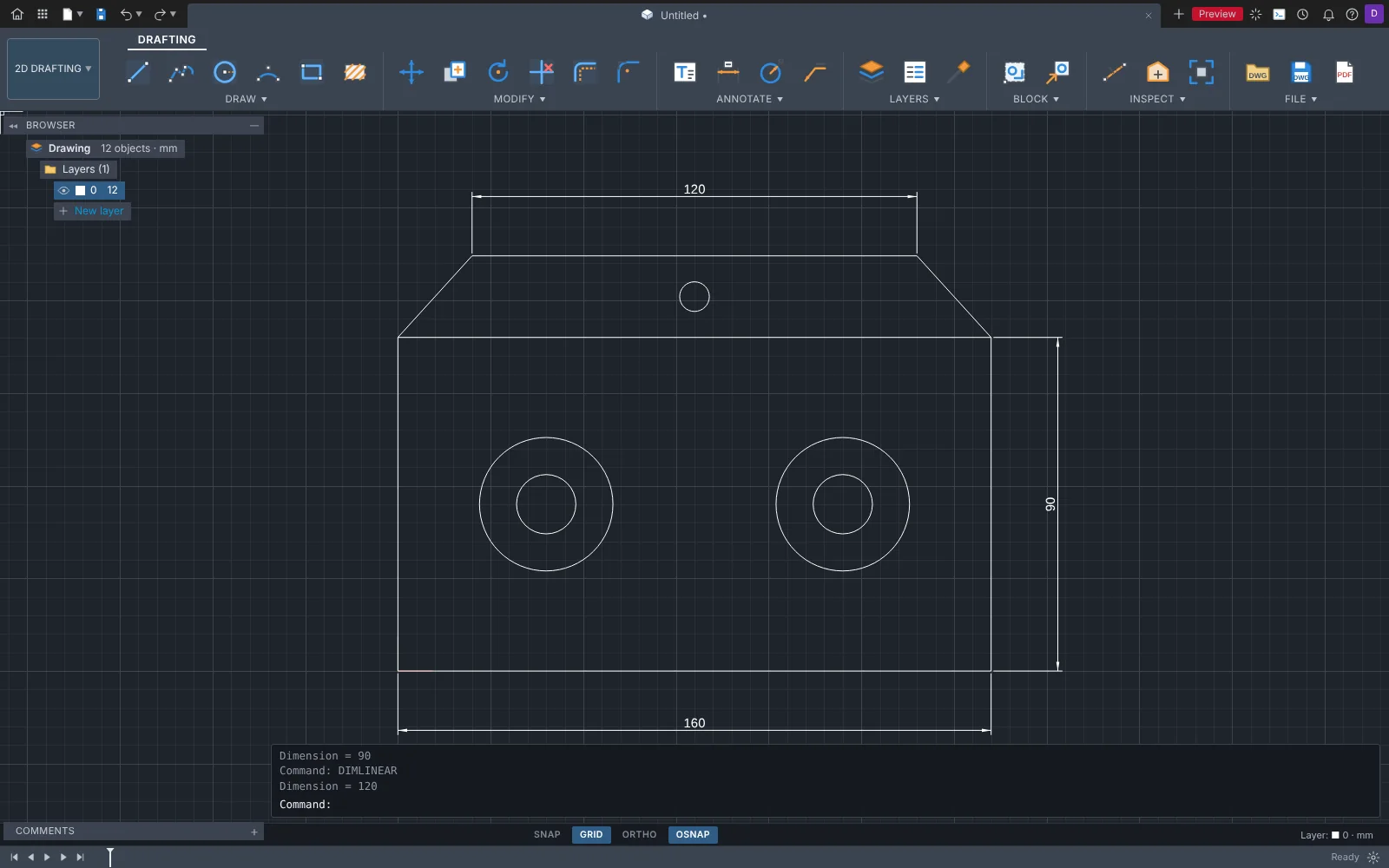
- 2D drafting that opens and saves real AutoCAD DWG files
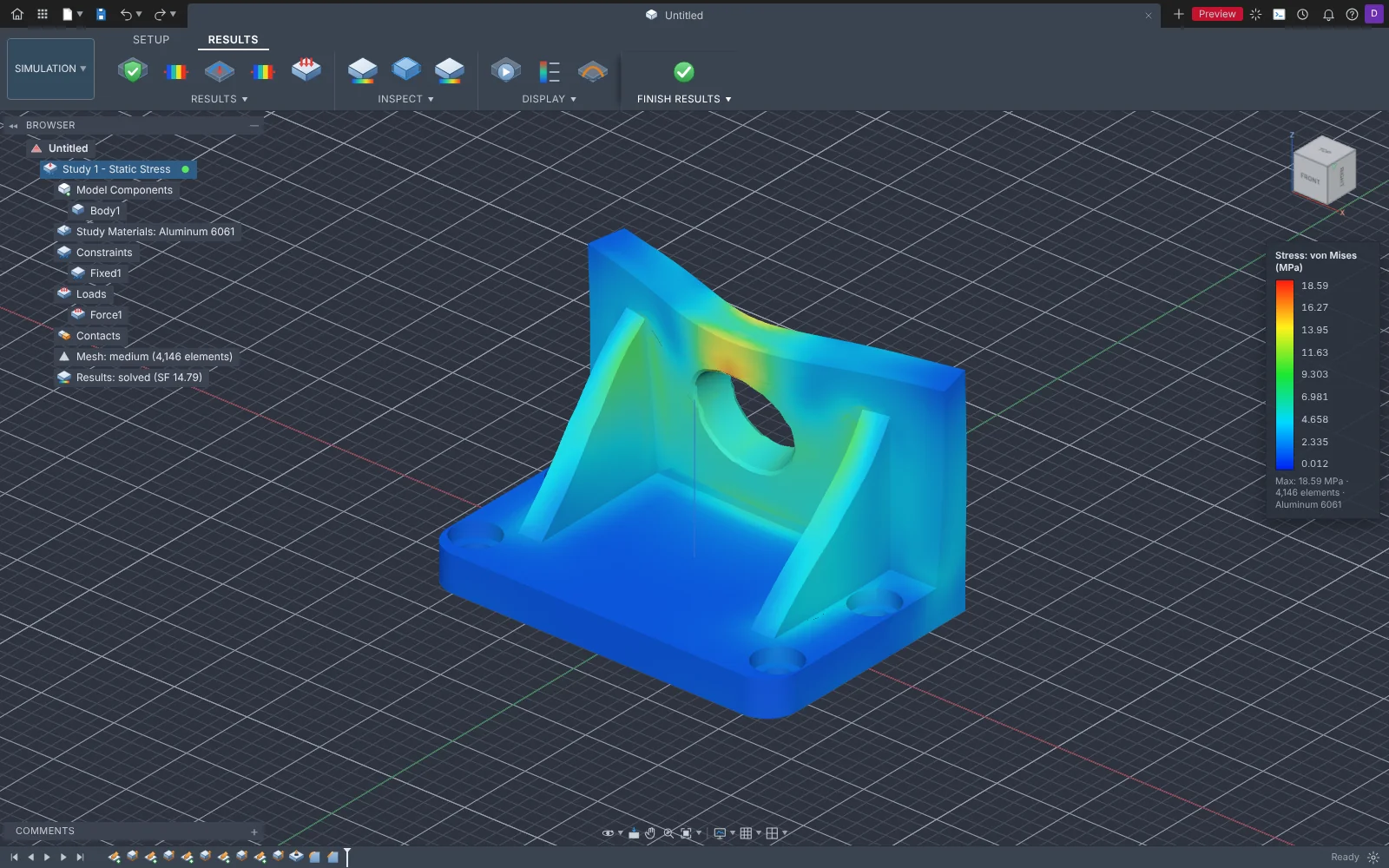
- Stress, vibration, heat and injection-molding simulation built in
- Circuit boards, ladder diagrams and a PLC simulator for electrical work
- 59 narrated video tutorials inside the app
- Your designs stay on your computer
Screenshots
Features
3D modeling
- Sketches with constraints and dimensions
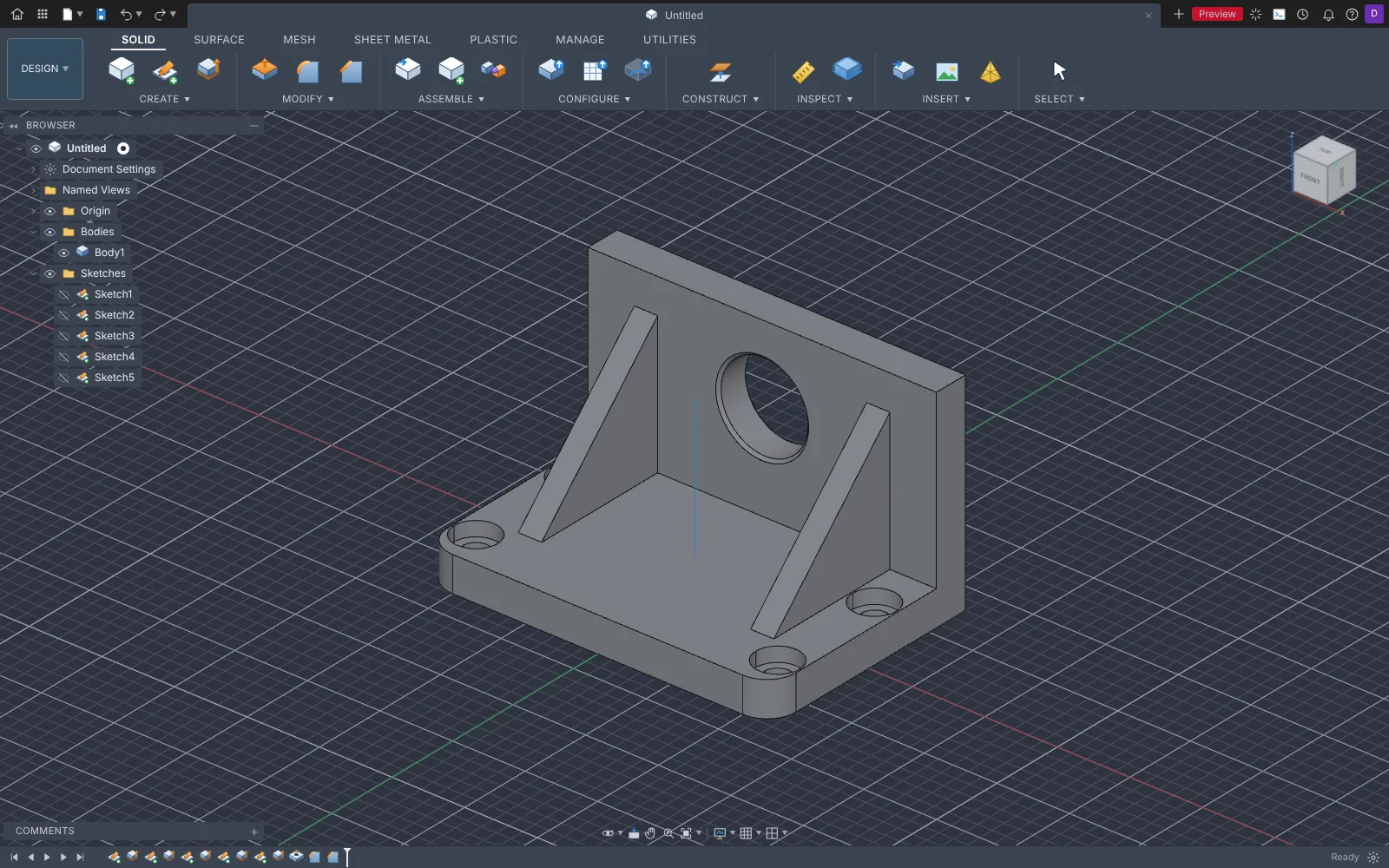
- Extrude, revolve, sweep, loft, rib, shell, fillet, chamfer, holes and threads
- Patterns, mirror, combine and split
- Surfaces and smooth freeform (T-spline) shapes
- Sheet metal with flat patterns
- Parameters and configurations
Assemblies and motion
- Components and joints
- Exploded views and animations
- Rendered pictures of your design
Drawings and 2D drafting
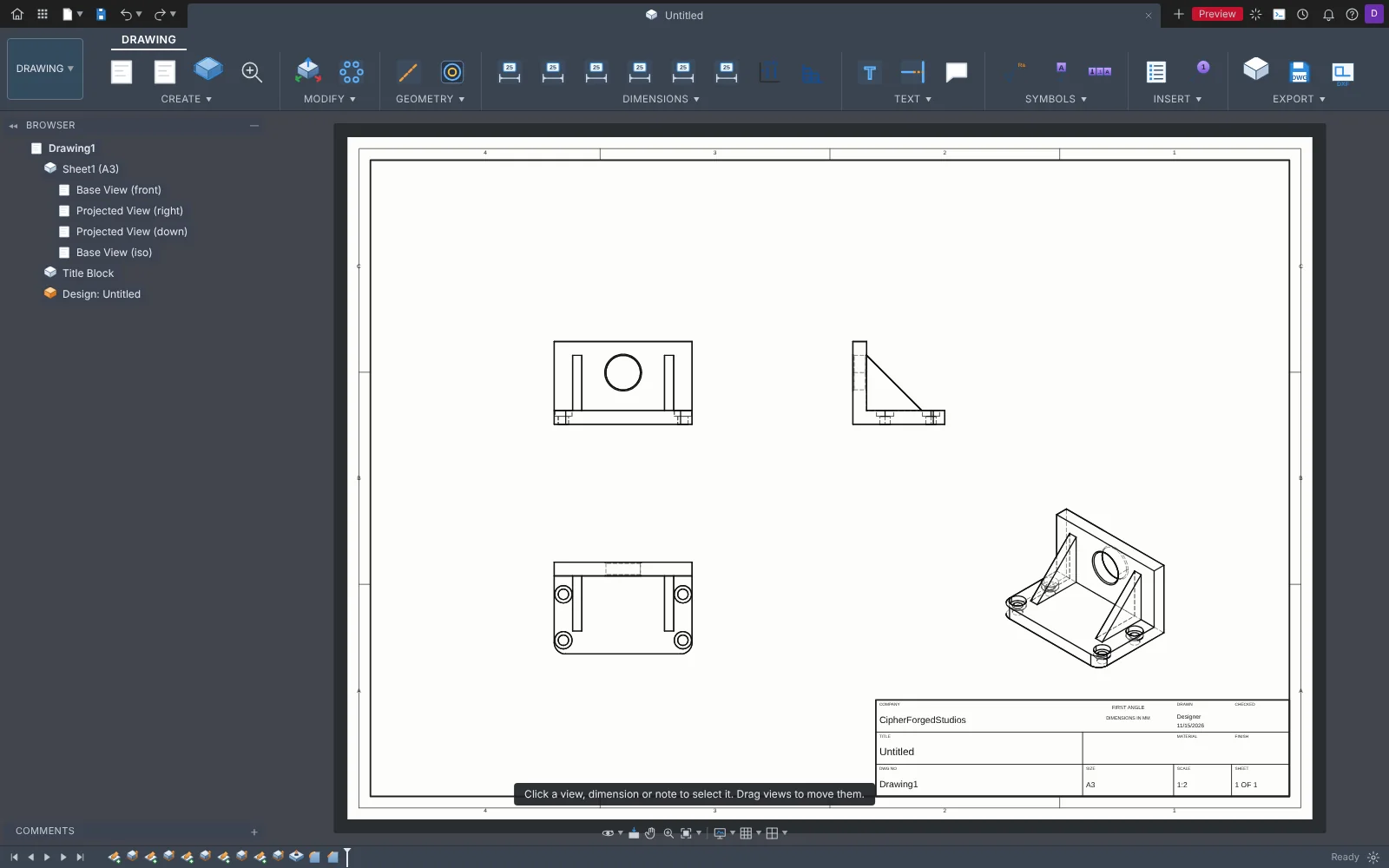
- Drawing sheets from your 3D model, with section and detail views
- AutoCAD-style 2D drafting with typed commands
- Opens DWG and DXF from AutoCAD R12 to 2018; saves DWG, DXF, PDF and SVG
Simulation
- Static stress, nonlinear and buckling
- Vibration (modal frequencies) and heat
- Shape optimization: where material can come off
- Electronics cooling and injection molding
3D printing and machining
- STL and 3MF export, with mesh repair and arrange
- Milling toolpaths from 2D to multi-axis, with G-code
- STEP import and export for other CAD programs
Electrical
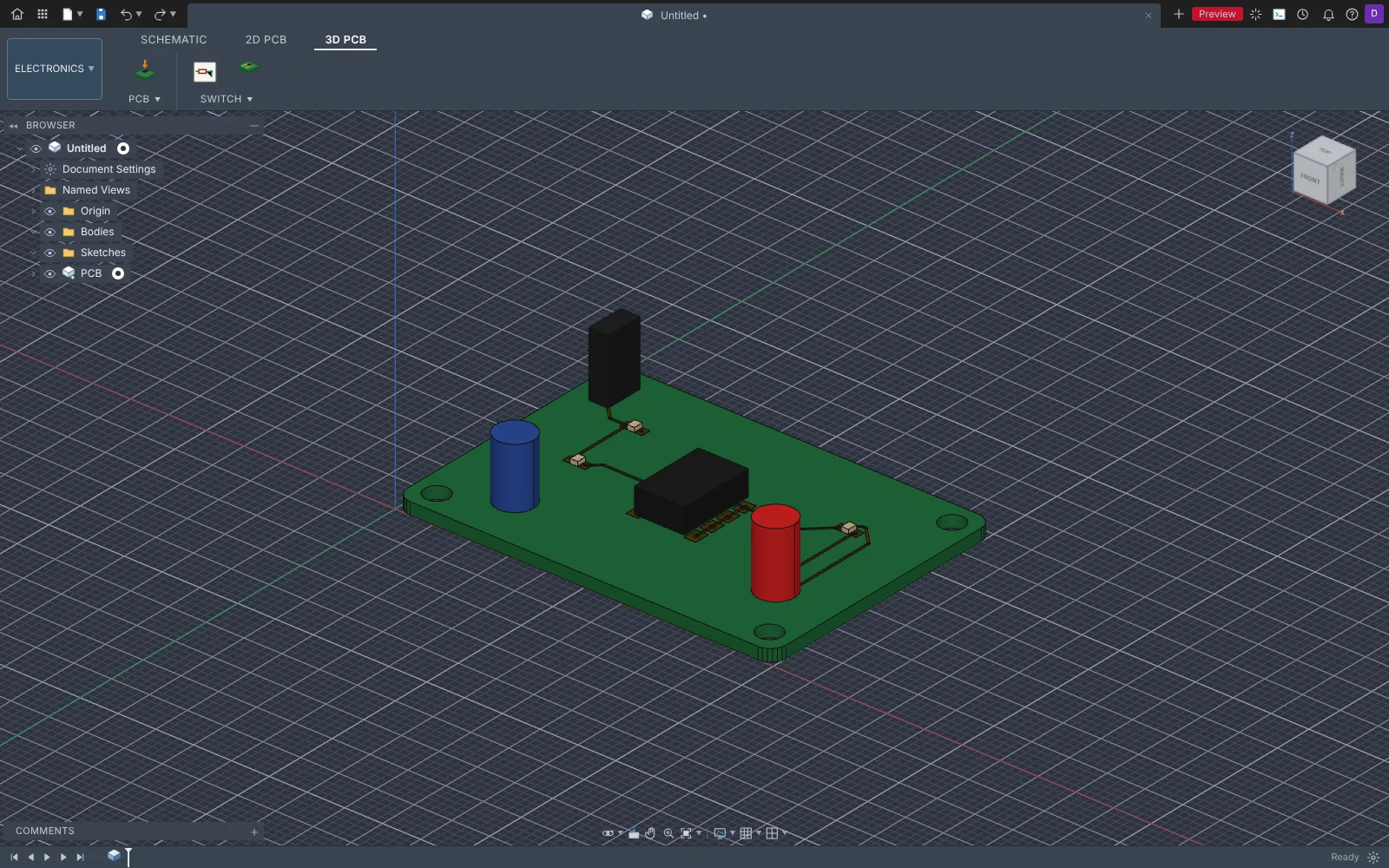
- Schematics and circuit boards with an autorouter, Gerber export and a 3D board
- Ladder diagrams for control panels, with a built-in PLC simulator
- Motor circuits, panel layout, heat load and cable sizing
Automation and help
- Python and JavaScript scripting
- An optional Assistant that uses an AI running on your own PC
- 59 narrated video tutorials, from first sketch to simulation
System requirements
- Windows 10 or Windows 11, 64-bit
- About 600 MB of free disk space
- A graphics card from roughly the last ten years (it needs WebGL 2)
- Internet only for downloading and for updates
How to install
- Download the zip file with the orange button above.
- Open your Downloads folder, right-click the zip and choose Extract All.
- Open the extracted folder and run the Ironcast setup file.
- If Windows says "Windows protected your PC", click More info, then Run anyway. This shows for new programs that are not yet signed with a paid certificate.
- From then on Ironcast updates itself. When a new version is ready it asks you to restart.
Privacy
Your designs stay on your computer. Ironcast does not have an account, does not track you and does not send your files anywhere.
It goes online only to check this site for updates (which sends nothing about you or your work) and to open a supplier's parts catalog when you choose to. The optional Assistant uses an AI that runs on your own PC (Ollama), so what you type stays there. Ironcast also listens on your own computer (127.0.0.1) so your scripts can drive it; other computers cannot reach that.
Terms
Ironcast is free to download and use during the beta.
It is provided as-is, without warranty. Check important designs, measurements and simulation results yourself before you rely on them: simulation results are engineering estimates, not a guarantee.
Ironcast is made by CipherForgedStudios and is built on open-source software, including OpenCascade, three.js, Pyodide and replicad, each used under its own license.
Reviews
No reviews yet. Be the first to say what you think of Ironcast.
Earlier versions
Ironcast 0.23.0 · Nov 17, 2026
- A big tools release: lathe turning, 3D printing, laser/waterjet/plasma cutting, probing, a dovetail tool, new sheet metal flanges, circuit simulation, and a new icon. Details below.
- Dovetail: a new Dovetail tool cuts a dovetail slot or builds the matching tail, and Manufacture has a Dovetail operation that cuts it with a dovetail cutter.
- Turning: a new Turning tab for lathe work, with facing, profile roughing and finishing, grooving, parting off, threading, chamfering and stock transfer, and lathe G-code.
- Manufacture: 2D Profile cutting for laser, waterjet and plasma; probing (Probe WCS, Probe Geometry, Inspect Surface); Hole Recognition; Deburr; Blend; Machine Simulation; drilling cycles for pecking, chip breaking, tapping, reaming and boring; and many more tool types, with holders, in the tool library.
- 3D printing: an Additive tab slices the part into layers with walls, infill and supports, writes G-code for the printer, and has a Print Preview you can step through layer by layer.
- Sheet metal: Contour Flange, Lofted Flange, Rip and Seam.
- Design: Full Round Fillet, Merge Faces, Geometric Pattern and Rest. Form: Straighten and Smooth.
- Drawings: Hole Table, Auxiliary View, and edge, taper and slope symbols. Render: Turntable animation.
- Electronics: Simulate Circuit works out the voltages and currents in a schematic: settled values, how they move over time, and how they change with frequency. It can also save a SPICE netlist. A supply symbol placed directly on a pin now connects to it.
- New icon for the app, installer and design files.
| ironcast-app-0.23.0.zipe242ac552afeb1a35a6f3d932248736df270de7854fdcbf441d3ff9b4e50c434 | 19 MB |
Ironcast 0.22.0 · Nov 17, 2026
- Share a project with other people through any shared folder (a network drive, OneDrive, Dropbox, Google Drive). Ironcast shows who has a design open, stops two people saving over each other, and keeps a History of saved versions you can go back to. File > Share This Project walks you through it.
- Electronics: Place Component can now find parts online. Pick SnapMagic, Ultra Librarian, Component Search Engine, Digi-Key or Mouser, download the KiCad version of the part, and it is added to your library with its symbol and footprint.
- Schematic: Rotate and Mirror now work on the part you have selected (R, M, or the right-click menu).
- Panel schedule: the Description column on the right is no longer cut off.
- Interface size: Ironcast now fits itself to smaller screens. Change it from the menu under your initials at the top right (Interface size), or with Ctrl +, Ctrl - and Ctrl 0.
| ironcast-app-0.22.0.zipba54c40ae061b57462690dbc93fa929836e2681aab66e083fe4e4653235965ca | 18 MB |
Ironcast 0.21.1 · Nov 17, 2026
- The browser tree on the left now scrolls with the mouse wheel when it is taller than the window.
- Learn: the tutorial videos are organized as a course. 13 topics down the side, one topic's lessons at a time, your progress, an Up Next card and a search box.
- New design window: the kinds are in named groups with new pictures, 2D Drafting has its own tile, and each kind shows what it is good for.
| ironcast-app-0.21.1.zipe10e20e183bb68a9b71858b20bc1a251672c6d4e40b60f538c4180e98ac0dd7d | 18 MB |
Ironcast 0.21.0 · Nov 17, 2026
- The PLC side now opens like PLC programming software: a controller tree (Controller Tags, Data Types, Tasks, your routines, Function Blocks, Operator Screens, Machines, Panel Drawings, I/O Configuration) and a mode box that shows Offline or Run.
- PLC languages: ladder with many new instructions, Structured Text, Function Block Diagrams and Sequential Function Charts. Any ladder, diagram or chart can be written out as Structured Text (Sheet > Convert Routine to Structured Text).
- PLC data: arrays, text (STRING) tags, your own data types, and function blocks (your own instructions, like Add-On Instructions) that you write once and use many times.
- PLC: operator screens (HMI) with buttons, lamps, gauges, sliders, alarms and trends that run live with your program.
- PLC simulator: pause, single step, slow motion, a trend chart, stop when a tag changes, tag search, and routines that run on a timer.
- PLC: virtual 3D machines to control: conveyor, sorting station, tank, traffic light, roll-up door, motor starter, speed drive, oven, positioning table, lift and a press with two-hand safety logic.
- PLC challenges: each machine has a job to do. Check My Program tests your program and tells you which requirements it meets and why, with up to three stars each. Every challenge has an example program.
- PLC troubleshooting: a voltmeter you place on the ladder, and Troubleshooting Practice, which hides one fault for you to find by measuring.
- PLC: watch a real Eaton easyE4 live over the network (Output > Connect to a Real easyE4). Its real inputs can drive the simulator. It only watches unless you choose otherwise. New and only tested against a simulated easyE4 so far.
- PLC: import Rockwell L5X files (Output > Import). Rungs that cannot be drawn are kept as comments with the reason.
- Fix: the app still opens if one of its newer files is missing after an update.
| ironcast-app-0.21.0.zip3cf17abbffb47b98cdd105bf2d9460257b5736464be88117a4a9c218995a1584 | 18 MB |